

Instagram has never really wanted you to download Reels. The platform shows a save-to-collection button that keeps the file inside Instagram, a screenshot button that gives you a still frame, and a share-to-DM button that loops you back to the platform — but no clean "save the MP4 to my phone" path. That gap is why a small ecosystem of browser tools, mobile apps and quiet API tricks exists, and it's why most creators end up screen-recording their own clips when they want a local copy.
This post is the 2026 working playbook for downloading Reels properly: the five methods that actually work, how each one handles watermarks and quality, when none of them work (private accounts, removed posts, region-blocked content), the common errors and their fixes, and the re-share etiquette that keeps you on the right side of original creators. If you want the fastest path, skip to the GWAA Reels Downloader walkthrough in Section 4.
Quick answer
The fastest way to download an Instagram Reel in 2026 is a browser-based downloader (no app install, no login). Paste the Reel's URL, get back an MP4 in under 10 seconds. The result keeps original quality and (for properly-built tools) drops the Instagram watermark cleanly. Other methods — mobile apps, screen recording, the Save feature, direct API tricks — trade speed, quality or convenience.
What's in this post
How Instagram serves Reels
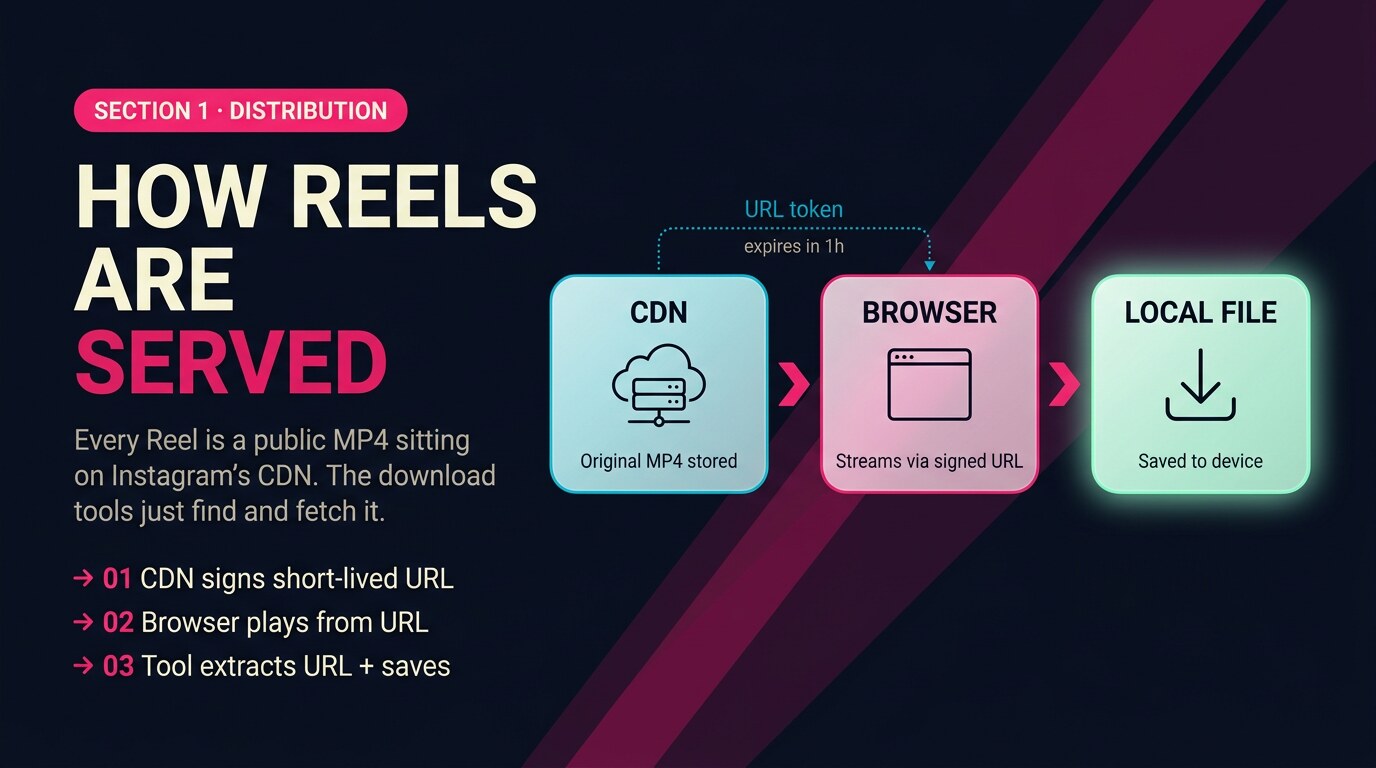
Every Reel you watch is a public MP4 file sitting on Instagram's CDN. When the app or browser plays a Reel, it streams that file from one of Instagram's media servers (URLs that look like scontent.cdninstagram.com/….mp4). The file is technically downloadable — it's just that Instagram's UI never exposes a direct link to it. Every download tool you'll see in this post is some flavour of "extract the underlying MP4 URL and hand it to your browser as a download."
The CDN URL is short-lived: Instagram signs each URL with a token that expires in roughly an hour. So the window between fetching the URL and downloading the file is small, which is why download tools need to be fast. The good news is that the underlying MP4 is the original creator upload — same resolution Instagram stored, same bitrate. A clean download preserves full quality; only screen recording loses fidelity.
The 5 ways to download a Reel
Five working methods. Each has a different effort-quality-cost trade-off.
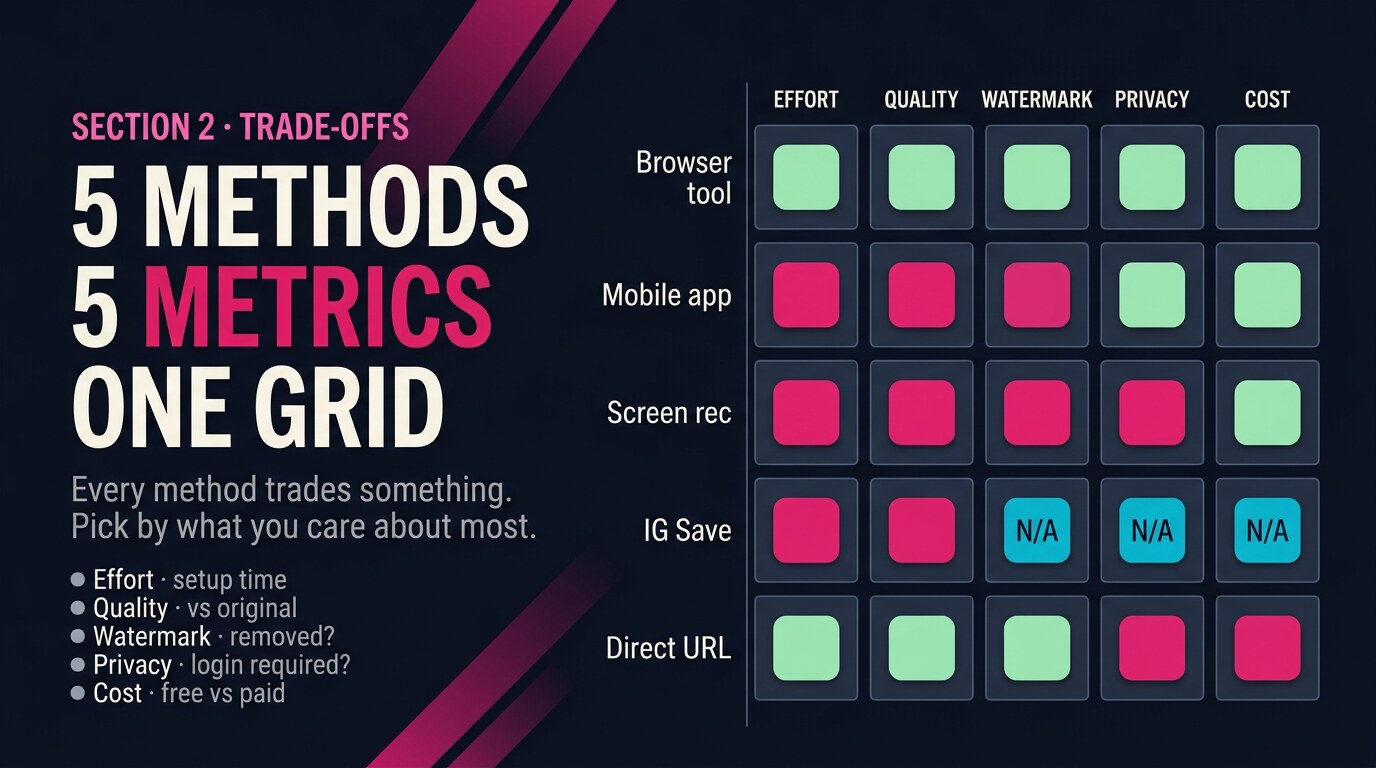
The order roughly maps to effort. Browser tools are the fastest because they skip the app-install step entirely. Mobile apps land at moderate effort but require an install + sometimes a paid tier. Screen recording is universally available but lossy. Instagram's native Save feature is the only "method" that doesn't actually give you a local file. The fifth option — pulling the direct MP4 URL via Instagram's public API endpoints — is technical but yields clean files when you can find the URL.
Method-by-method walkthrough
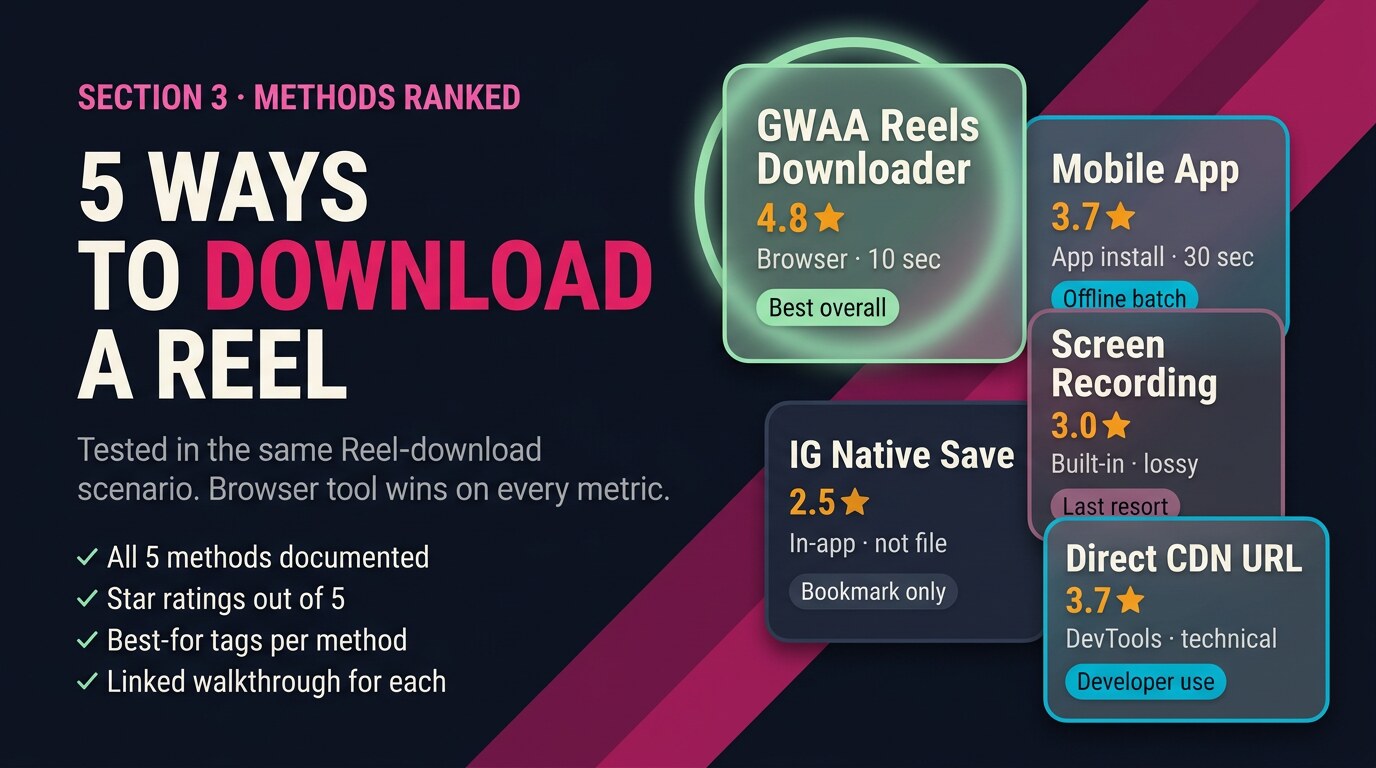
Each method reviewed honestly with stars and trade-offs.
GWAA Reels Downloader (browser tool)
Best overall — paste the Reel URL into the browser tool, get a clean MP4 back in under 10 seconds. No install, no login, no watermark, original quality preserved.
Pros
- Fastest end-to-end (under 10 seconds)
- No app install, no account login
- Strips Instagram watermark cleanly
- Preserves original quality + bitrate
Cons
- Won't work on private Reels (no tool can)
- Requires a copyable Reel URL
Verdict
The default starting point in 2026. Try it before installing anything.
Mobile app downloader
Offline batch — install a download app on your phone, copy the Reel URL inside Instagram, the app picks it up via clipboard and saves locally.
Pros
- Works offline once Reels are downloaded
- Batch downloading on most apps
Cons
- App install + permissions required
- Free tiers usually watermark the output
- Some apps add tracking
Verdict
Useful if you save dozens of Reels per week and want a queue. For one-off saves, the browser tool is faster.
Screen recording
When nothing else works — open the Reel in the Instagram app, hit your phone's built-in screen-recording, let it play, stop the recording.
Pros
- Works on any device, no extra tool
- Free, built-in
Cons
- Captures the Instagram UI overlay (caption, like button, profile photo)
- Re-compresses the video — visible quality loss
- Records system audio + microphone unless muted
Verdict
The fallback. Use only when the URL won't load or other tools are blocked.
Instagram's native Save (collection)
Bookmarking only — tap the bookmark icon on a Reel; Instagram stores it in your Saved collection. The Reel stays inside Instagram — not a download.
Pros
- One tap, no tool
- Stays synced across your devices
Cons
- Not actually a download — you can't view offline
- Disappears if the creator deletes the Reel
- Can't share outside Instagram
Verdict
Useful as an in-app bookmark. Not a replacement for an actual download.
Direct CDN URL (technical)
Developer use — open the Reel in a desktop browser with DevTools, find the MP4 URL in the Network tab, right-click + save. Zero watermark because you're grabbing the original file.
Pros
- Pure original quality, no re-encoding
- Zero watermark
- Free, no tools needed
Cons
- Requires DevTools comfort
- URL token expires within an hour
- Tedious for batch use
Verdict
For developers + engineers. Browser tools do this same thing automatically, so use those for production work.
Downloading without the watermark
The Instagram watermark (the small "@username · 2026" text bottom-left of every Reel after Instagram processes it) only appears on Reels you download through Instagram's own share-to-other-apps flow. Files pulled directly from the CDN — the route every browser tool uses — never had the watermark added, because Instagram only adds it at the share-out step.
Copy the Reel URL
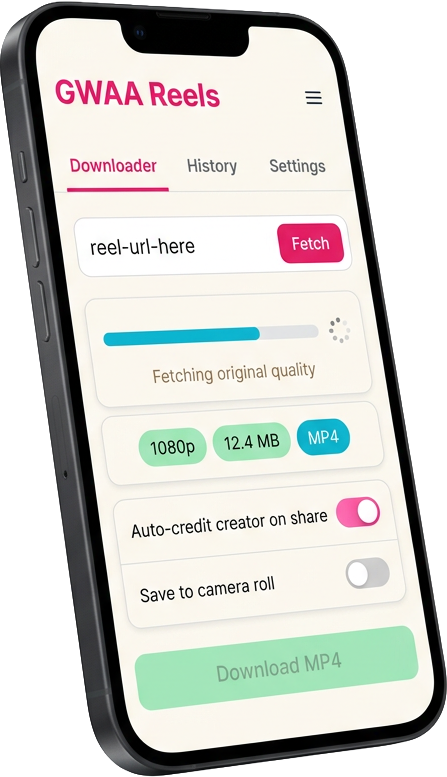
Tap the Reel’s three-dot menu → Copy Link. URL looks like instagram.com/reel/….
Paste into downloader
Open the GWAA Reels Downloader, paste the URL into the input field, hit Generate.
Download the MP4
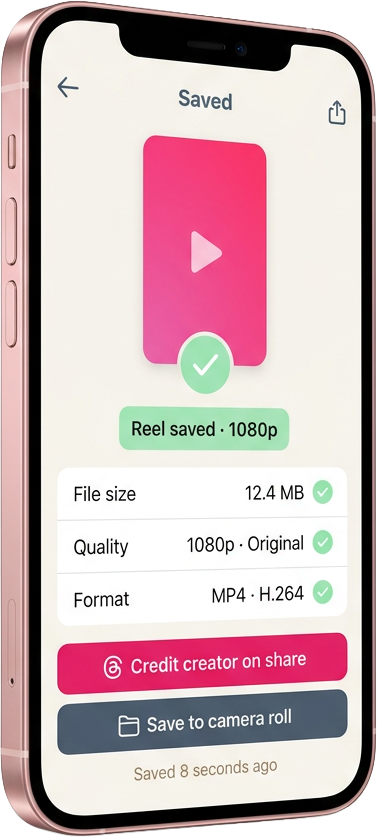
Tool returns the original-quality MP4 in about 10 seconds. No watermark because the file was pulled before Instagram’s share-step added one.
Verify the file
Open the MP4 in your phone’s photo library. Check there’s no Instagram chrome overlay and audio plays cleanly.
When you can't download a Reel
Private-account content sits behind Instagram's authentication wall — downloaders only see what an unauthenticated viewer can see, which is nothing. Deleted Reels are gone from Instagram's CDN within minutes (the URL token would still work for a brief moment if you had it cached, but most users don't). Region blocks are enforced at the CDN level based on the IP making the request — if you're blocked, every browser tool and app will also be blocked, because they all route through the same CDN.
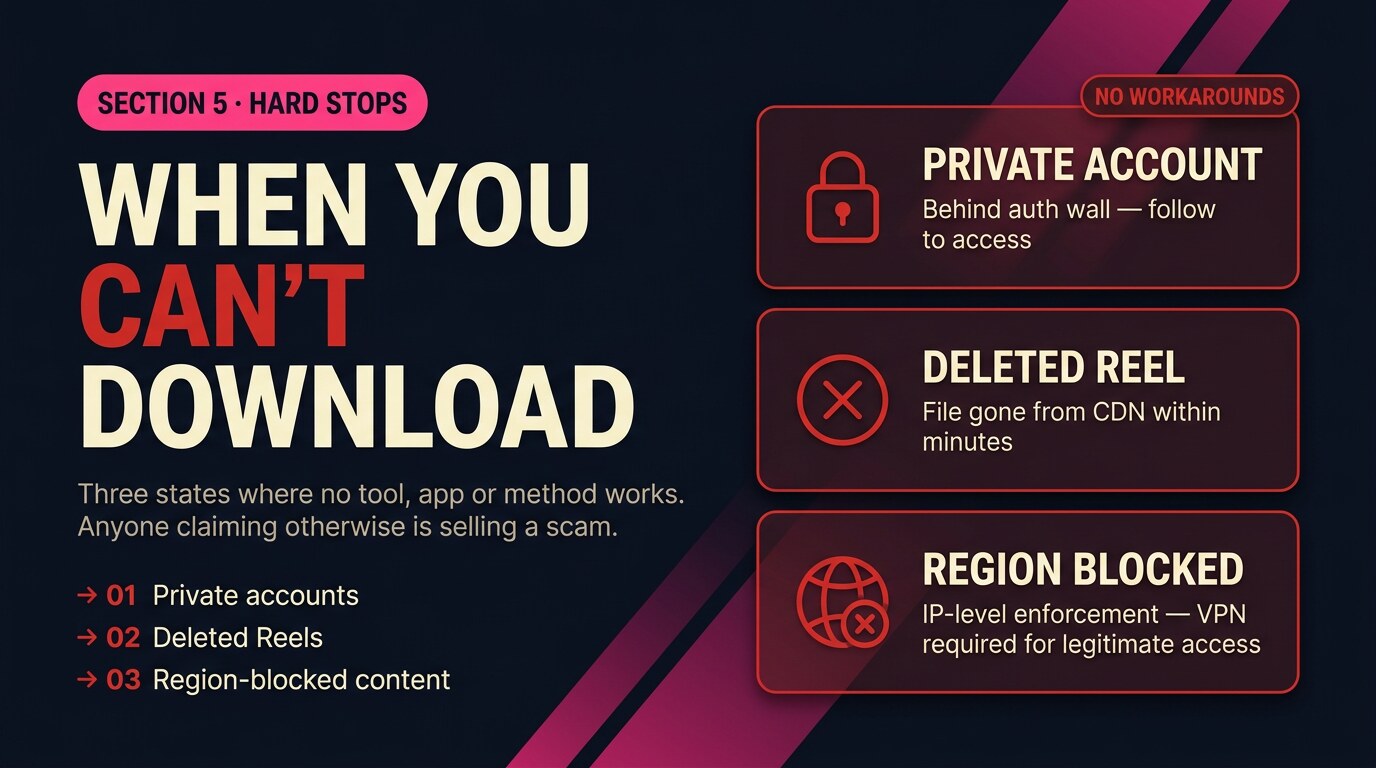
The legitimate workaround for private accounts is to follow the account from your own profile, then the Reel becomes viewable + downloadable like any public Reel. There's no shortcut.
Common errors + fixes
The five errors that account for ~80% of Reel-download failures, in order of frequency.
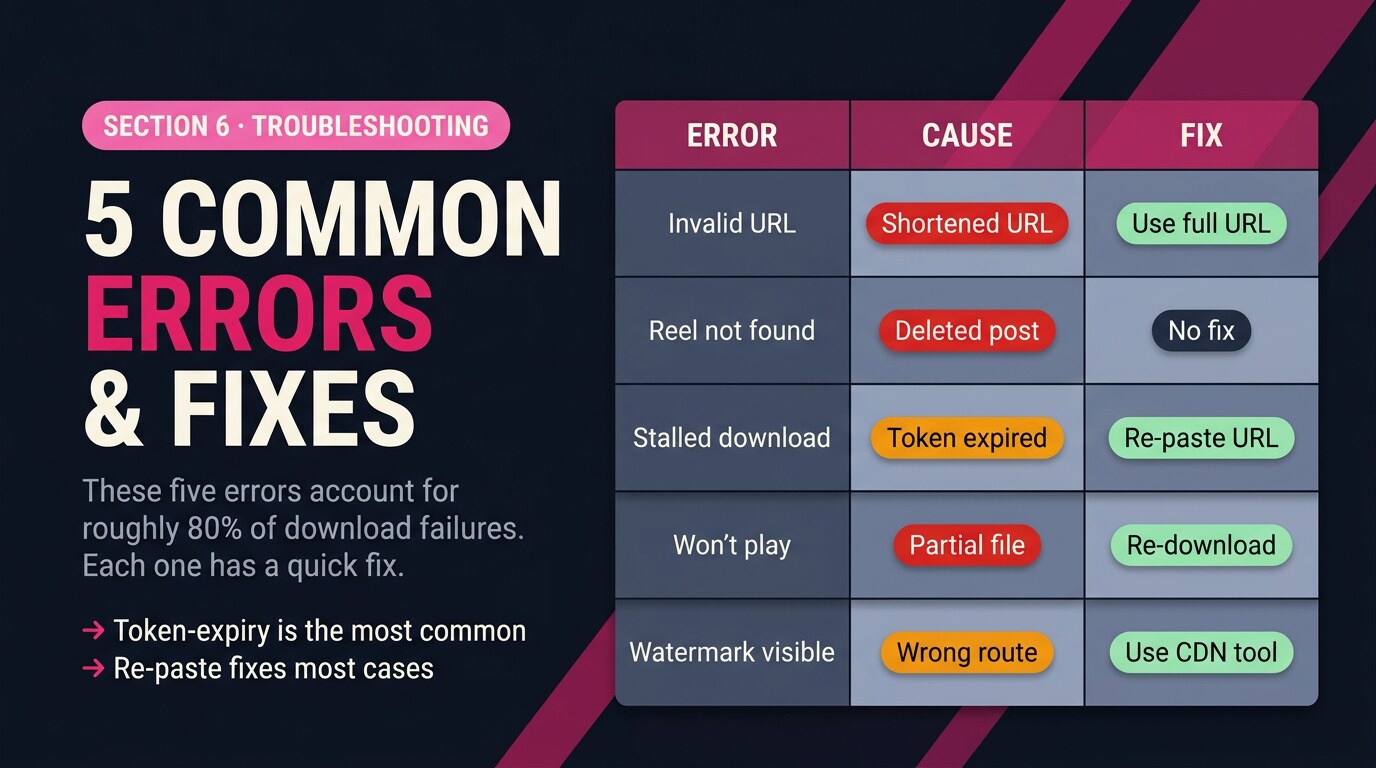
| Error | Cause | Fix |
|---|---|---|
| "Invalid URL" | Shortened or non-Reel URL pasted | Open Reel in browser, copy from the address bar directly |
| "Reel not found" | Creator deleted the post, or made account private | No fix — the source is gone |
| Download starts then stalls | CDN token expired between fetch + download | Re-paste the URL into the tool to refresh the token |
| Downloaded file won’t play | Partial download due to network drop | Re-download on stable connection; verify file size matches expected |
| Watermark still visible | Used IG’s share-to-app instead of CDN-route tool | Use a browser downloader that fetches from the CDN directly |
Re-share etiquette
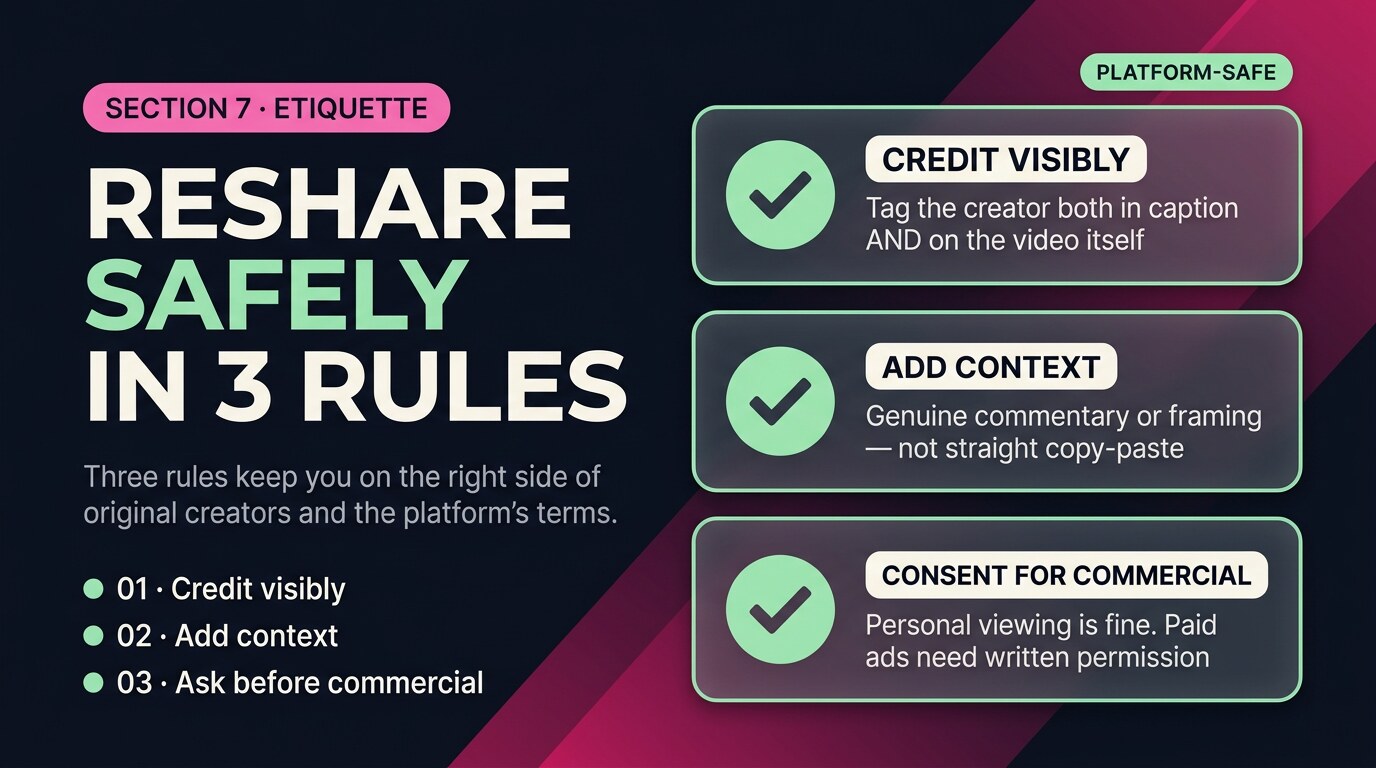
Downloading a Reel for personal viewing is legally clear under most jurisdictions' fair-use clauses. Re-sharing someone else's Reel is a different question — the original creator retains copyright, and re-uploading without attribution is both a platform-policy violation (Instagram's terms ban re-uploaded content) and an ethical problem in creator communities.
- Credit visibly. If you re-share, tag the original creator both in the caption and inside the video itself (overlay text works). Never strip the watermark and re-post as your own.
- Add context. Reposts that add genuine commentary, reaction or educational framing are treated differently from straight copy-paste. Make clear what's yours and what's theirs.
- Ask before commercial use. Personal viewing is fine. Using a downloaded Reel in a paid ad, a brand campaign or a commercial product without the creator's written consent is a copyright violation regardless of how you got the file.
A clean Reel download preserves what the creator made. A bad one strips credit and quality at the same time — both are avoidable.
5 takeaways
- Browser tool is the fastest, cleanest method — no install, no watermark, ~10 seconds.
- The watermark only appears via Instagram’s share flow. CDN-route downloads never have it.
- You cannot download private, deleted or region-blocked Reels — no tool can.
- Screen recording is the last-resort fallback because it loses quality + captures UI overlay.
- Re-sharing requires visible credit + added context. Commercial use requires consent.
Download any public Reel in 10 seconds
Paste the URL into the GWAA Reels Downloader. Original quality, no watermark, no app install, no login. Browser tool, free.
Open the GWAA Reels Downloader